Couples can book a call with you directly from the platform, here's how it works.
To book a call, couples just need to press on the 'Book a call' button. This button appears in three places:
- Your profile page
- Your package pages
- Within their message thread with you (only visible from their side)
When the couple clicks this link, they will be shown your available slots.
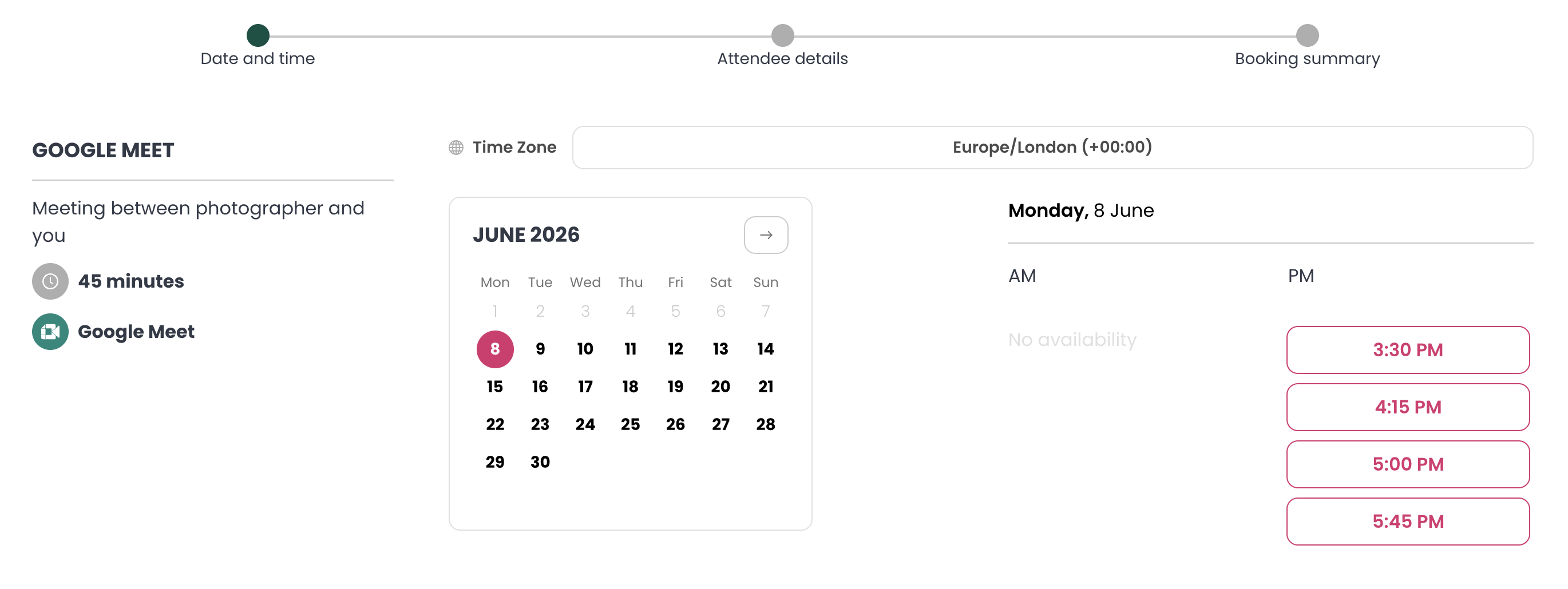
All they need to do from here is
- Select a date and time from your available slots.
- Enter their details.
- Click Confirm Booking
What happens after they book?
- You and the couple both receive a confirmation email
- The email includes a video call link to join the meeting
- Automated reminders are sent to both you and the couple ahead of the call.
How are available time slots determined?
When a couple clicks Book a Call, they'll see your available times based on:
- Your default availability hours
- Your connected external calendar, to avoid any clashes
For more on setting your availability, see this guide.
Was this article helpful?
That’s Great!
Thank you for your feedback
Sorry! We couldn't be helpful
Thank you for your feedback
Feedback sent
We appreciate your effort and will try to fix the article