First, double-check that your calendar has been linked to wedissimo. If it's linked but events still aren't syncing, here are the most common causes:
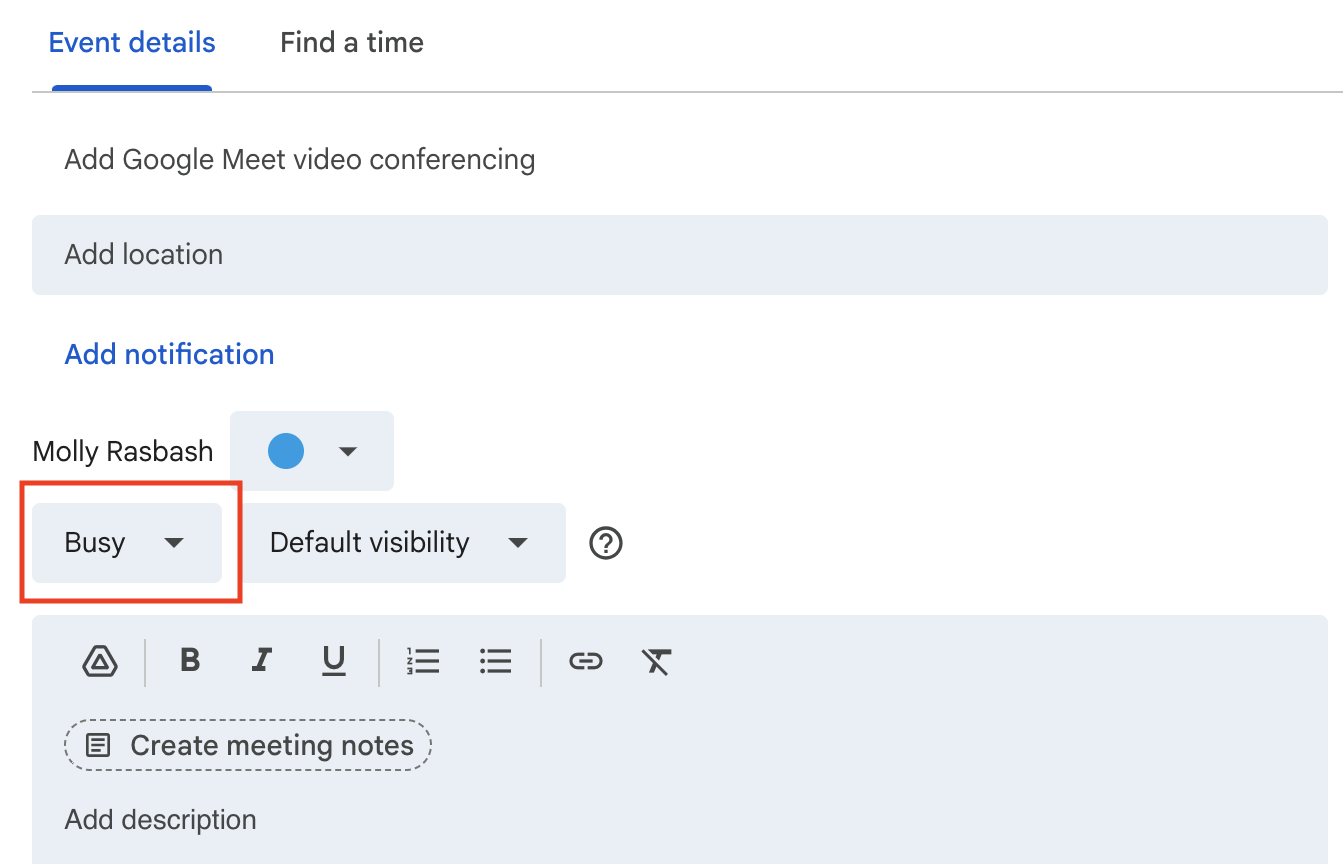
1. Events aren't marked as "Busy"
Most calendars default some events — particularly all-day events — to "Free", which won't block your wedissimo availability.
To fix this:
- Google Calendar: Click the event > Edit > set Availability to Busy
- Outlook: Click the event > Edit > set Show As to Busy
2. The event is on a different calendar
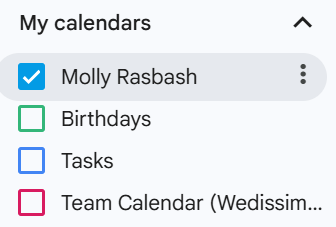
If you use multiple calendars (e.g. Personal, Work, Weddings), only events from your linked calendar will sync with wedissimo. Check the colour tag or event details in to confirm which calendar the event belongs to, and make sure you've imported the correct ICS link.
3. The calendar isn't shared correctly
Some calendars, particularly Apple/iCloud, need to be set to Public to share events via ICS. If your calendar is private, wedissimo won't be able to access your events even if the link has been added.
To fix this:
- Google Calendar: Select your calendar from the side panel > three dots (⋮) > Settings & sharing > Access permissions for events > tick Make available to public
- Apple/iCloud: Select your calendar from the side panel > Profile icon > tick Public Calendar
4. Sync delay
Changes can take a few minutes to come through. Wait up to 15 minutes, then refresh your wedissimo calendar to see the update.
Was this article helpful?
That’s Great!
Thank you for your feedback
Sorry! We couldn't be helpful
Thank you for your feedback
Feedback sent
We appreciate your effort and will try to fix the article