Your wedissimo calendar links directly to your external calendar (e.g. Google or Outlook). Any day where you have an existing event will automatically be marked as unavailable for bookings, helping to prevent double-bookings. This means you only show up in results for your available days.
It's important to make sure the calendar you share with us is the one you actively keep up to date, as wedissimo syncs with all events in that calendar.
Booking calendar vs. call calendar
Both calendars sync with your external calendar, but they handle availability differently:
- Booking calendar works by day. If you have a 2-hour event, the entire day will be blocked for wedding bookings
- Call calendar works by time. That same 2-hour event would only block those 2 hours for calls, leaving the rest of the day open
Manually managing availability
You can also manually block dates on a per-listing basis, so you can mark specific listings as unavailable without affecting others:
- Log in to your wedissimo profile and go to Packages
- Select the listing you'd like to update
- Click Manage Availability
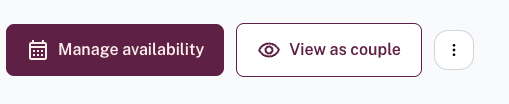
- Select the date(s) you want to be on unavailable and click Block
For more detail, see: Can I manually block off dates in my calendar?
Was this article helpful?
That’s Great!
Thank you for your feedback
Sorry! We couldn't be helpful
Thank you for your feedback
Feedback sent
We appreciate your effort and will try to fix the article