wedissimo is designed to help prevent accidental double bookings. Because of this, if an event in your connected calendar has since been removed, the platform won't automatically make that date available again, this protects you in cases where couples book without contacting you first.
You'll need to manually unlock the date from your package calendar:
- Go to the Packages tab
- Click Edit next to Availability
- Find the date you want to unlock on the calendar
- Click on the date(s), then click Unblock in the top-right corner. The date should become white.
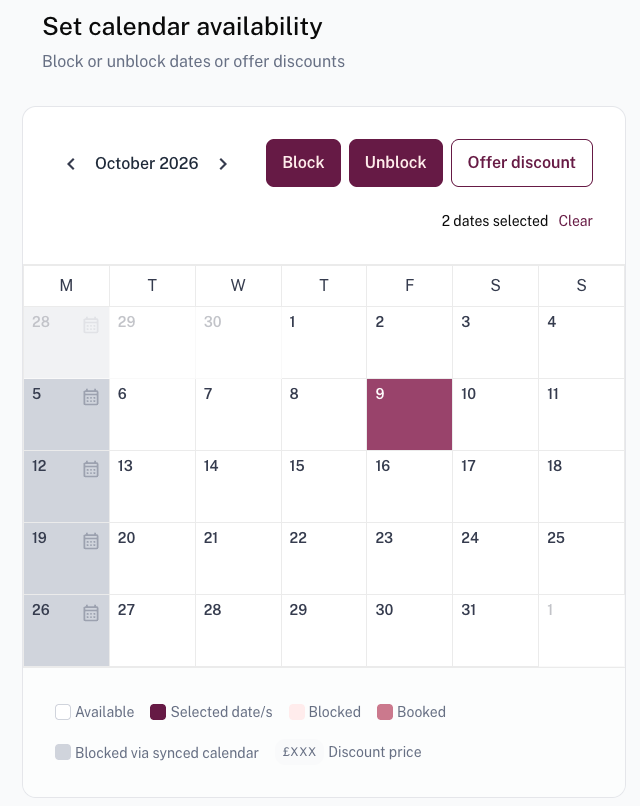
- Click through to save your changes
Please note: If you manually unblock a date but the event still exists in your external calendar, wedissimo will automatically revert it back to unavailable within 15 minutes. To keep the date open, make sure the conflicting event has been removed or marked as Free in your external calendar first.
Was this article helpful?
That’s Great!
Thank you for your feedback
Sorry! We couldn't be helpful
Thank you for your feedback
Feedback sent
We appreciate your effort and will try to fix the article