If some events from your Google Calendar aren’t syncing with your wedissimo calendar, check the following:
Correct calendar linked
You can only share one iCal link with wedissimo, so we can only read the events from that specific calendar.
For example, if your events are saved in your Work calendar but you’ve shared the iCal link for your Personal calendar, we won’t be able to see those blocked dates, even if both calendars are visible to you in Google Calendar.
Please make sure the calendar you’ve shared with us is the exact one your events are saved in, not a shared or secondary calendar.
- Open Google Calendar.
- Untick all other calendars on the left-hand side (under 'My calendars') so that only the calendar you want to share with us is visible.
- Check that the events you expect us to see are now showing in the calendar view.
- Click the three dots next to that calendar → Settings and sharing.
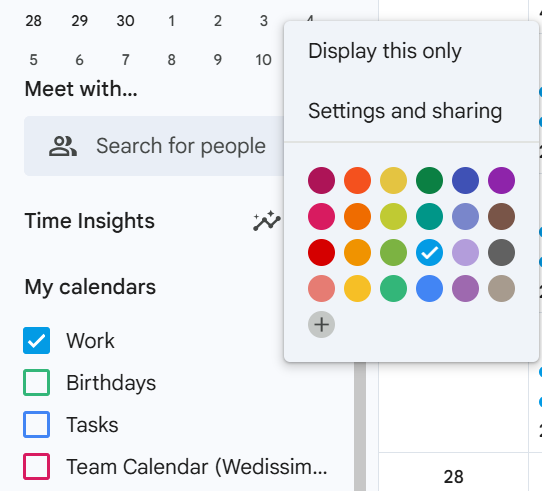
- Under “Access permissions,” make sure the calendar is set to Public.

- Scroll down and copy the Public Address in iCal format.
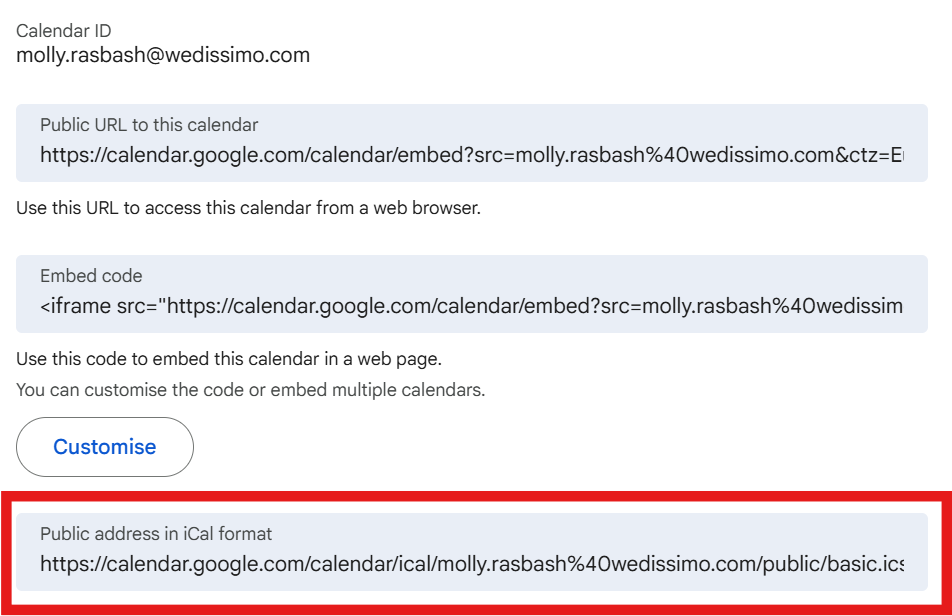
- Then send that link to us and we can update your account.
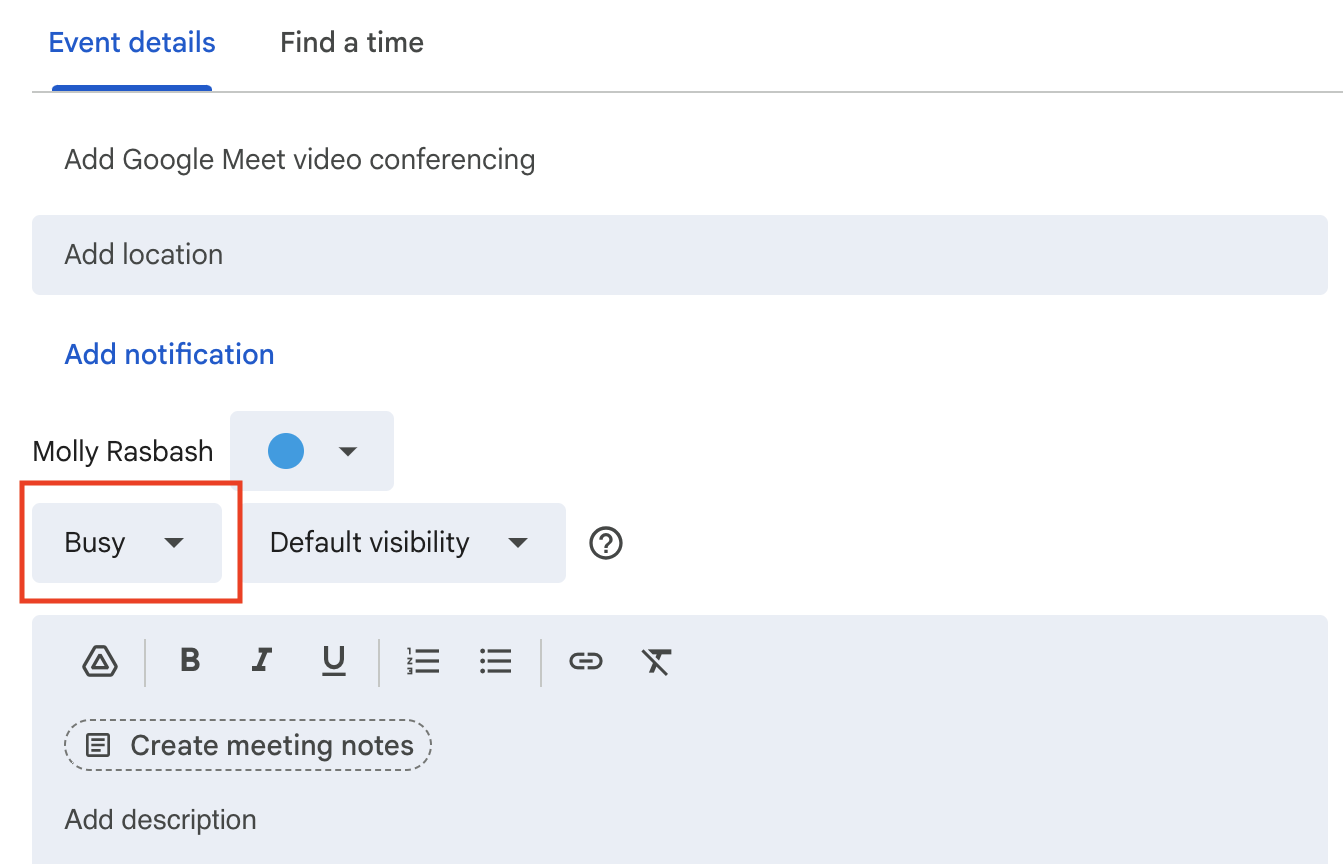
Events must be marked as “Busy”
Google often marks events (especially 'all-day' events) as “Free” by default, which won’t block your availability.
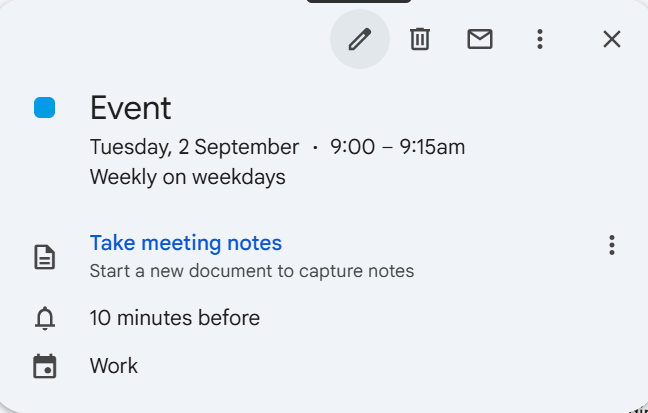
- Open the event
- click the “Edit” icon
- Set the event to 'Busy'
Allow time for syncing: Google Calendar feeds may take up to 15 minutes to update on wedissimo.
Was this article helpful?
That’s Great!
Thank you for your feedback
Sorry! We couldn't be helpful
Thank you for your feedback
Feedback sent
We appreciate your effort and will try to fix the article